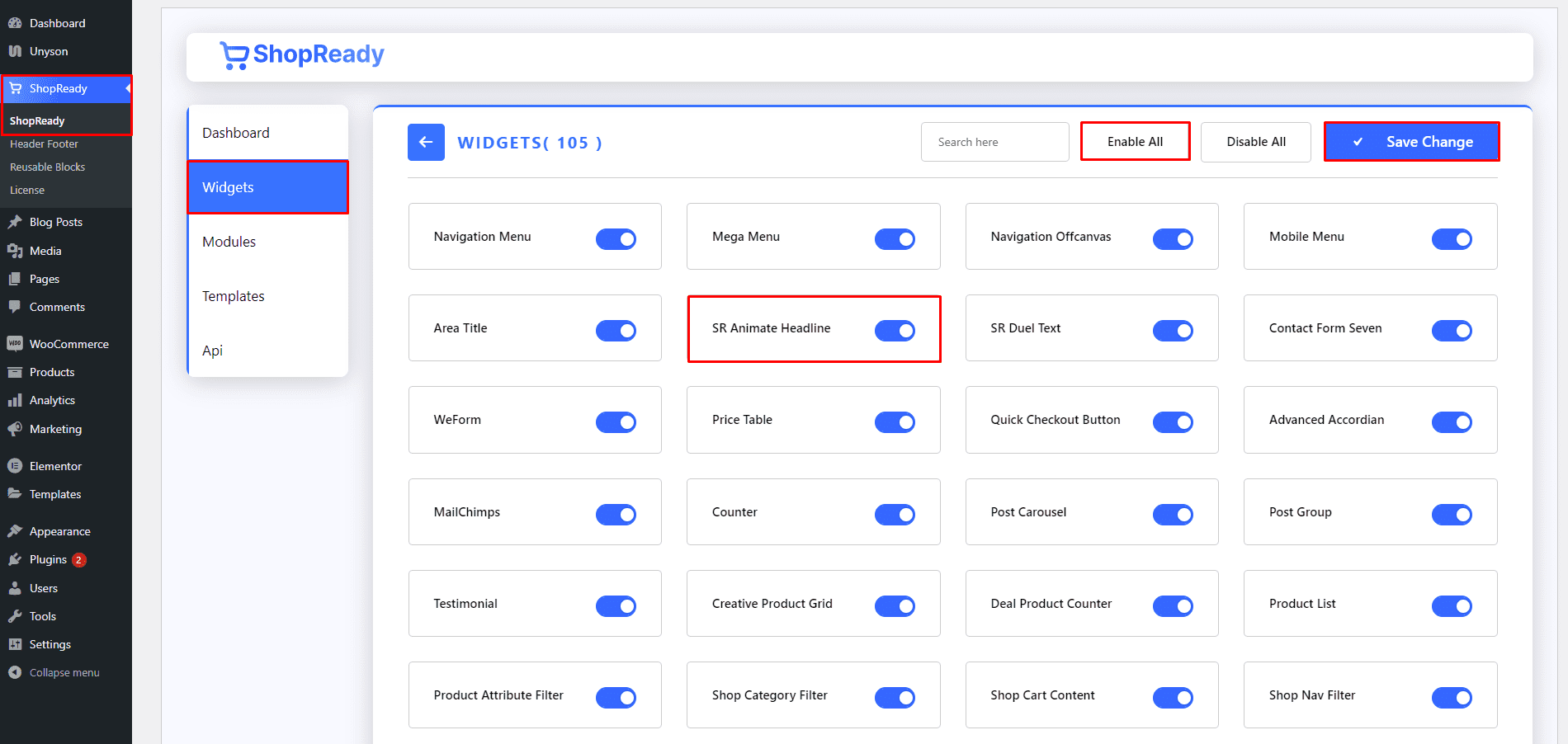
Enable the SR Animate Headlinewidget from the ShopReady dashboard and click on Save Changes.
Step - 02:
Create a new page from the WordPress Dashboard > Pages > Add New. And then click on Edit with Elementor. Or click Edit with Elementor on an existing one.
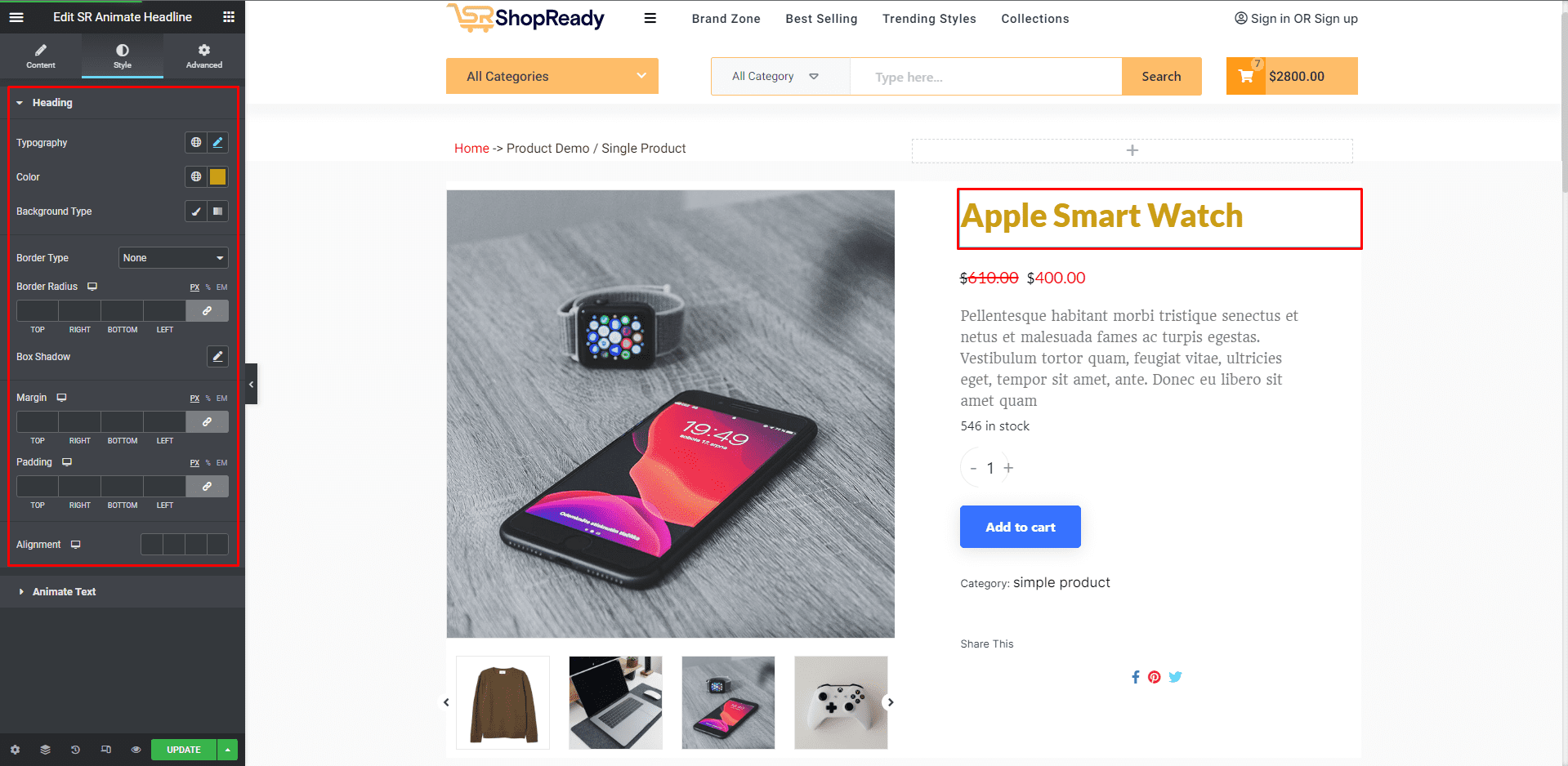
From the left-hand side, search for the ShopReady SR Animate Headlinewidget. And drop it where the product title should be.
Under the Contenttab, you will find the option to edit the headline and select between two animation styles.
Step - 03:
You can further customize the animated headline; start by clicking on the Style tab. From here, you can change how the animated header block will appear by editing the style options with typography, color, margin, padding, etc.
When you’re done customizing your animated header, make sure to hit PUBLISH/ UPDATE to save your changes.