Demo Import Process
If you want your site to look like exactly the ‘Growth’ demos, please follow the instruction.
- Step 1 – Install the All Required Plugins.
- Step 2 – Make sure all the required plugins are activated before you begin demo content importing,
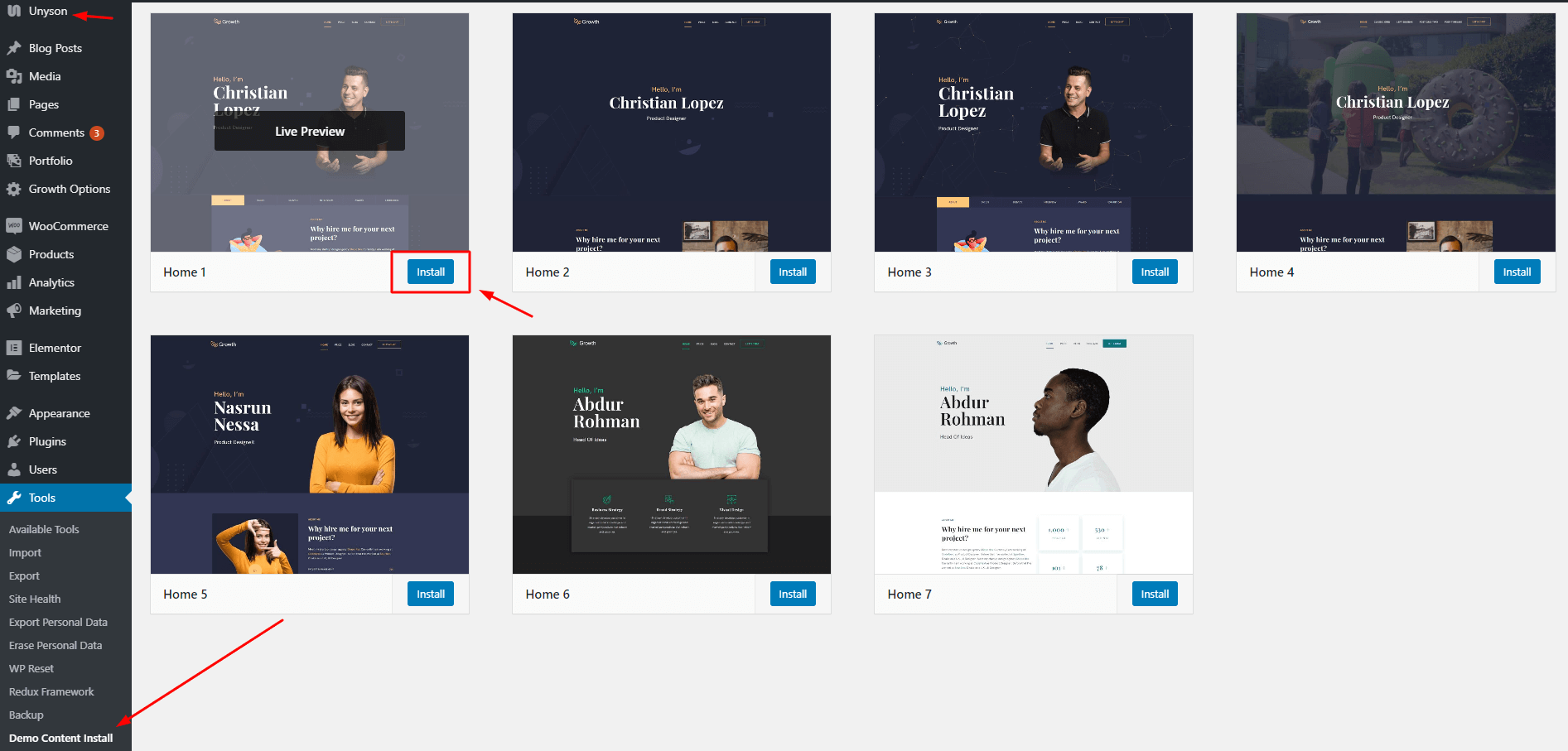
- Step 3 – Chose UNYSON form Dashboard, install and Activate the extension named ( Backup & Demo Content ).
- Step 4 – Then navigate to ‘Tools > Backup & Demo Content‘ and chose your your preferred demo which you want , then click to “Install”
OR
How to install offline dummy content.
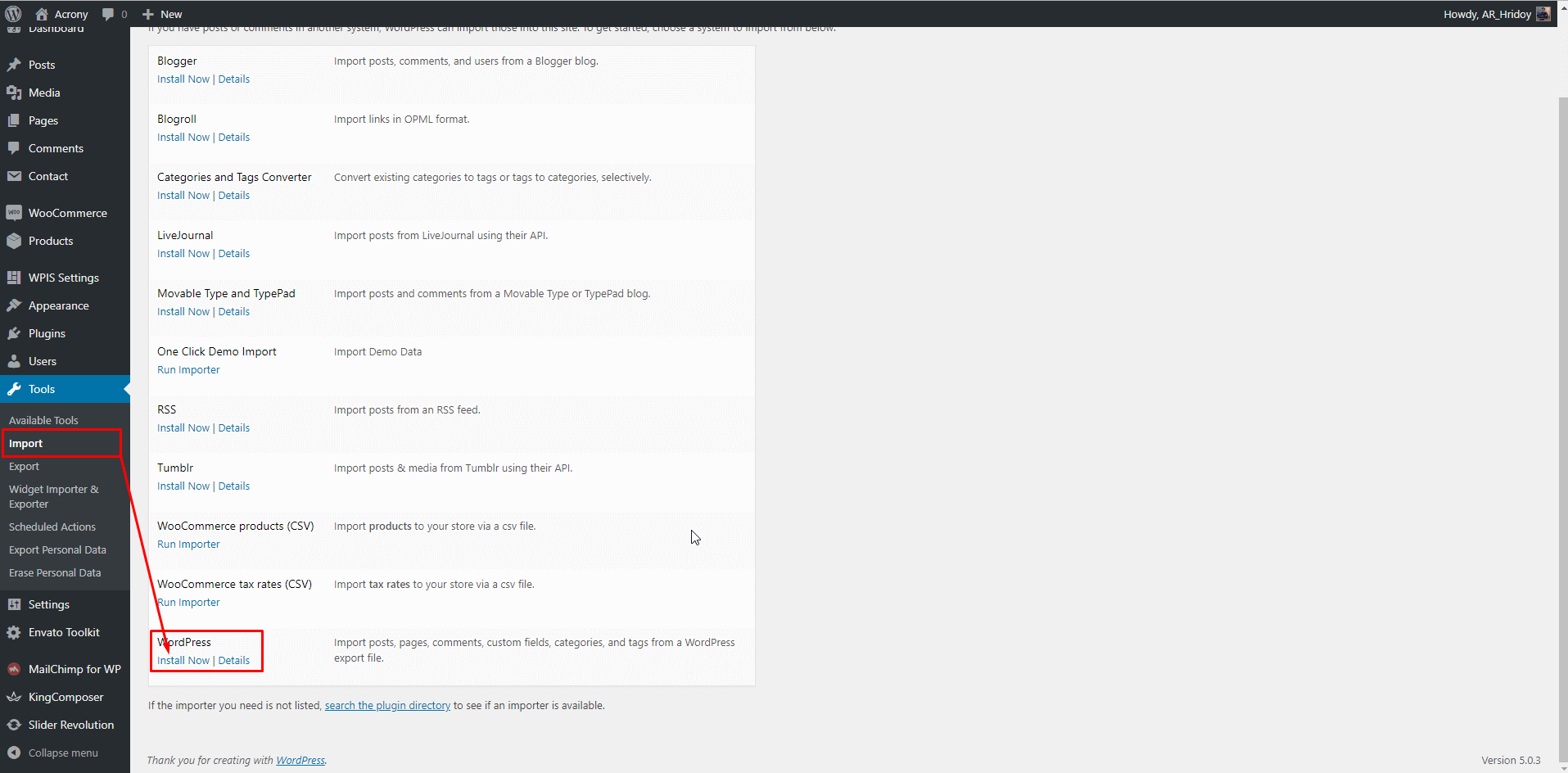
- Navigate to Tools → Import.
- Run WordPress Importer.
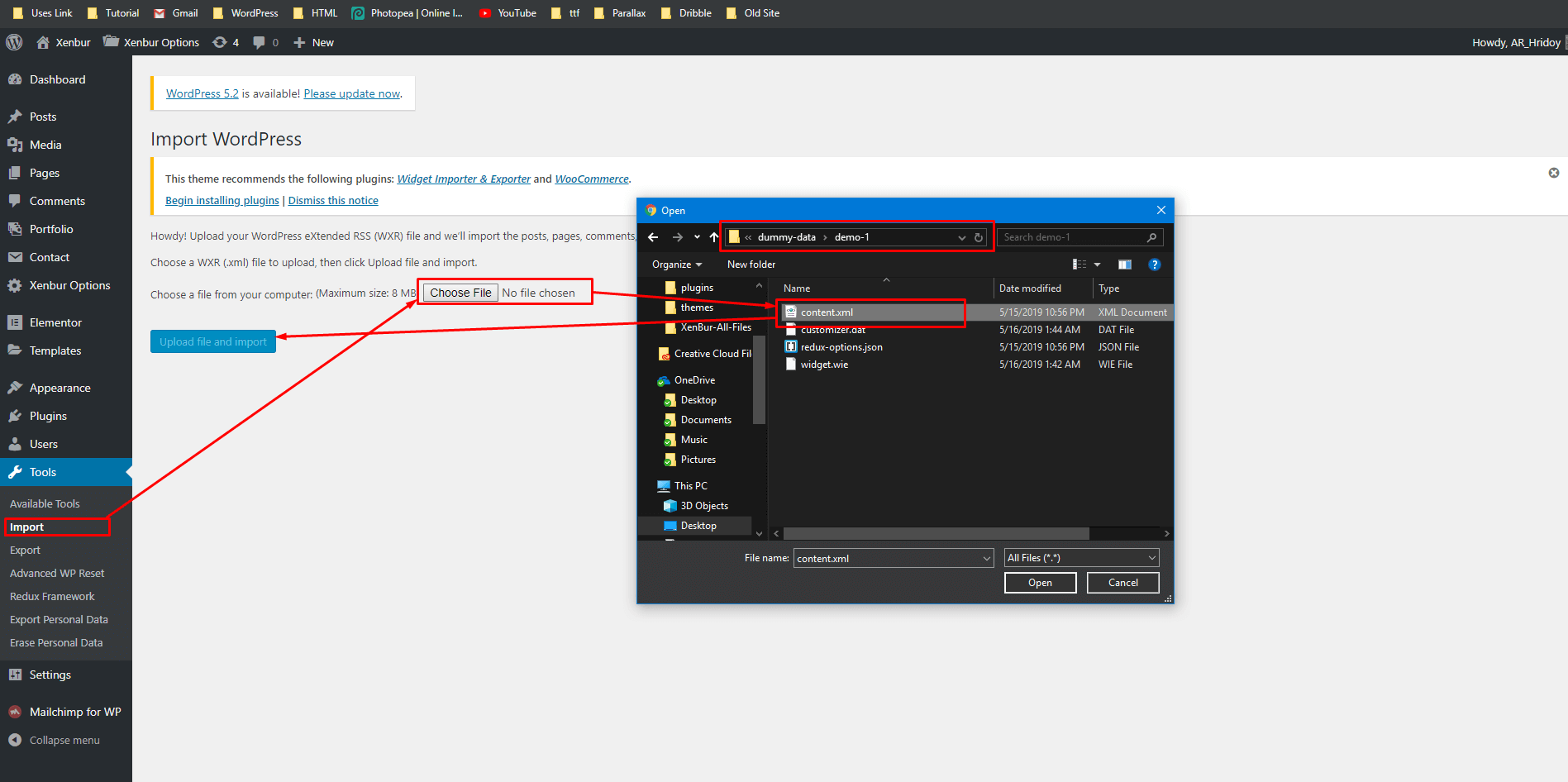
- Choose the dummy content file from the Dummy-data folder.
Step 1 : Install WordPress Import plugin.
Step 2: Choose all content dummy data file.
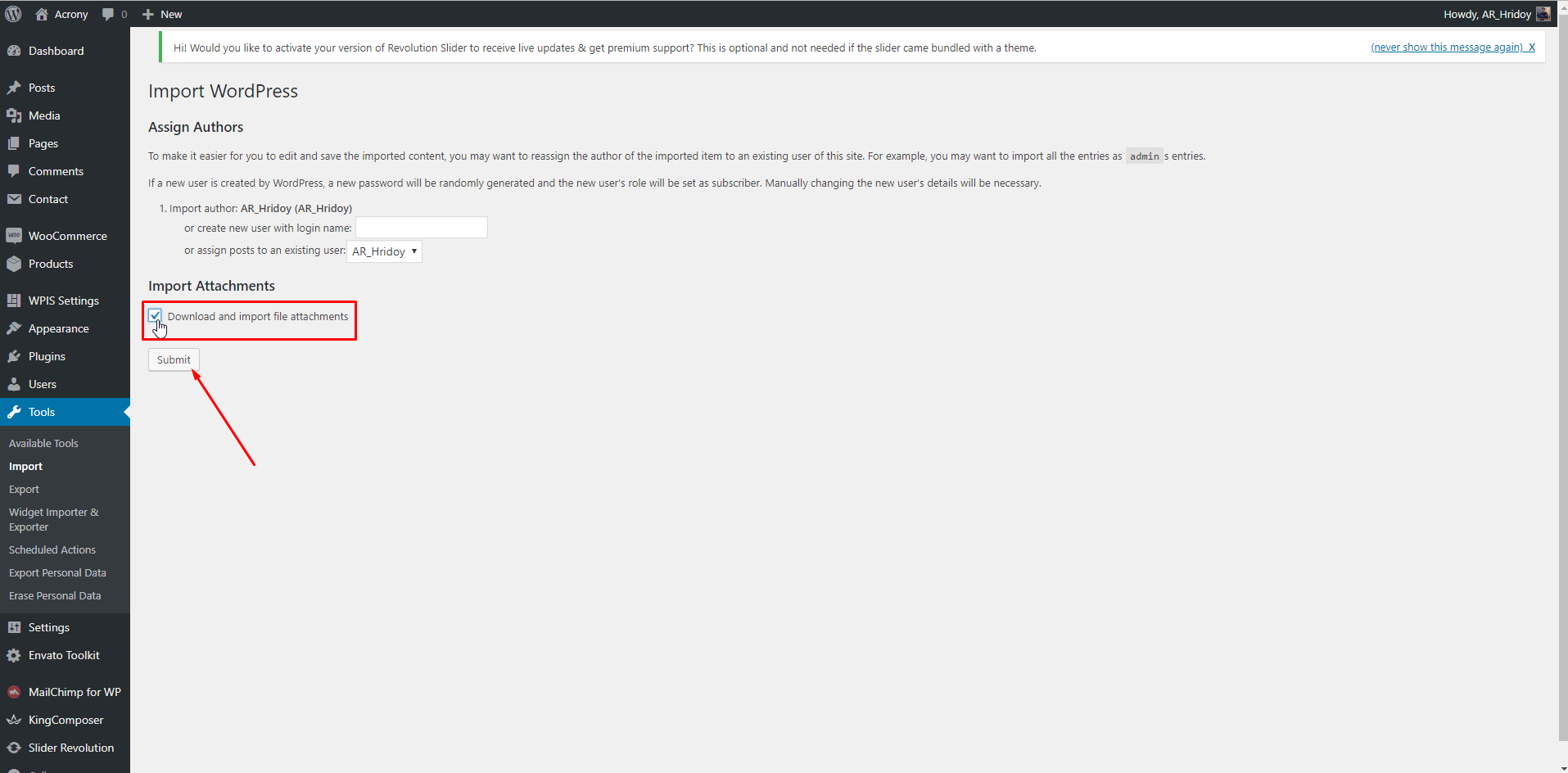
Step 3: Select user and check Download and import file attachments box.