Note: Importing demo content is optional.
FundCare comes with single-click importable demo content (pages, blog posts, forms, etc.) to help you get started if you have a fresh WordPress installation.
Before importing, make sure you have installed the Theme and recommended Plugins. Before performing the following steps, you must have installed the plugin One Click Demo Import
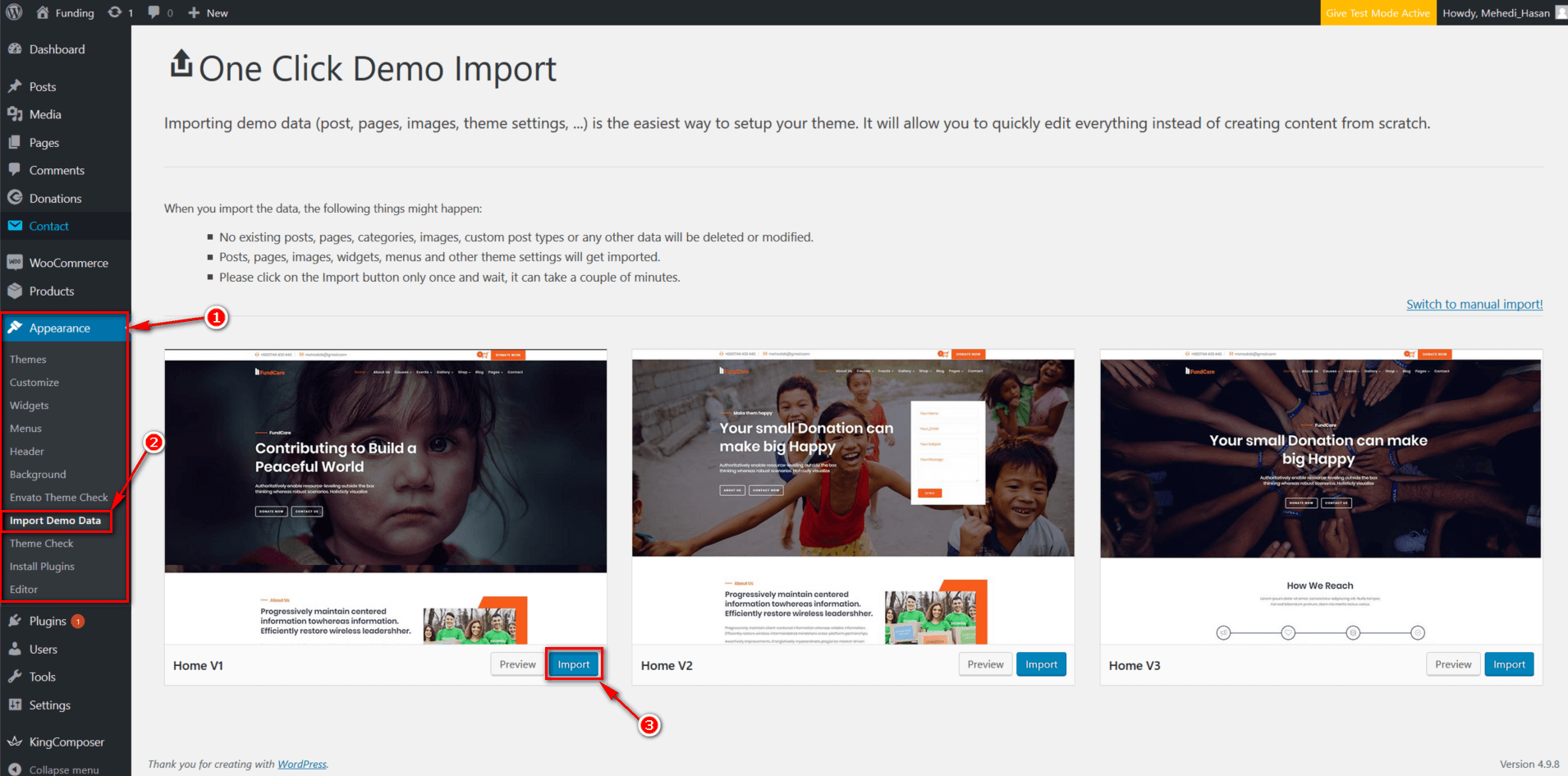
- Navigate to Appearance → Import Demo Data.
- Read Important Notes.
- Select Demo and Click Import (import time depends on the speed of the Internet connection on your server and resources).
OR
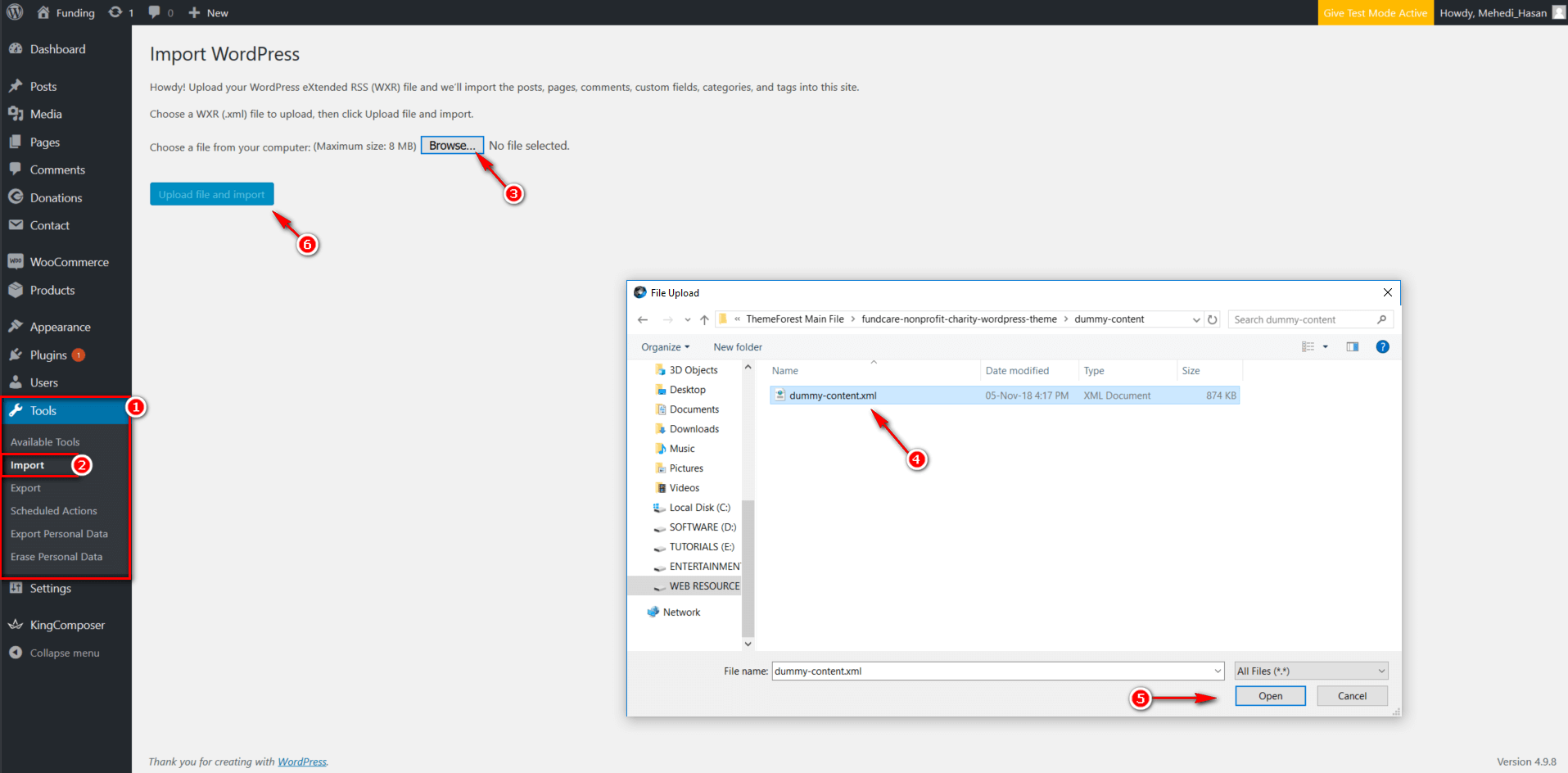
Install Demo Content By WordPress Importer.
- Navigate to Tools → Import.
- Run WordPress Importer.
- Choose the dummy content file from the Dummy-Content folder.